
You are staring at a violently red progress bar on your screen, panic slowly creeping into your chest. Your video rendering software has completely frozen, your NAS is screaming a continuous, high-pitched beep of death, and the dreaded “Disk Full” notification is aggressively blinking in the corner of your monitor. You desperately start deleting old cache files, temporary downloads, and ancient iPhone backups, praying to buy yourself just a few more gigabytes of breathing room to finish the project. We have all been there. Running out of local storage is a deeply visceral, incredibly frustrating bottleneck that completely derails your workflow.
For years, the solution to this problem involved a painful compromise. You either bought a stack of smaller, affordable hard drives and dealt with the terrifying complexity of managing a massive, multi-disk RAID array spanning an entire shelf—or you took out a second mortgage to afford a single, ultra-high-capacity enterprise drive.
Then, seemingly out of nowhere, the floor completely fell out of the storage market. Seagate’s absolutely massive 24TB hard drive suddenly hit a rock-bottom price of just $239.
Read that sentence again. Twenty-four terabytes. Two hundred and thirty-nine dollars.
We are officially looking at a cost-per-terabyte ratio that drops below the mythical ten-dollar mark. Specifically, it works out to about $9.95 per terabyte. If you closely track commodity hardware pricing, you know this is practically a glitch in the matrix. It fundamentally changes the math for home server enthusiasts, obsessive data hoarders, independent filmmakers, and anyone trying to run a local Plex server without going bankrupt, right?
The Ugly Truth About “Shucking” and Why This Deal Kills It
To really understand why a $239 24TB Seagate drive is such an anomaly, I need to take you back to a sweaty weekend in July 2019. I was sitting on my living room floor, surrounded by piles of discarded plastic shells, voided warranty stickers, and a small mountain of Western Digital external enclosures.
I was building a TrueNAS Core storage server from scratch. Because bare internal hard drives were outrageously expensive at the time, the entire home server community relied on a sketchy, stressful practice known as “shucking.” You would wait for Black Friday, buy cheap external USB hard drives from Best Buy, pry the plastic cases open with guitar picks and flathead screwdrivers, and extract the high-capacity internal drive hidden inside to use in your server.
It was a miserable, anxiety-inducing process. One slip of the screwdriver, and you physically damaged the drive control board. Worse, the moment you cracked that plastic shell, your warranty evaporated into thin air. If the drive died three months later—and trust me, they often did—you were entirely out of luck.
That $239 price tag on a bare 24TB Seagate obliterates the need to ever shuck a drive again. You get a massive, unadulterated block of storage without playing arts and crafts with plastic enclosures. You skip the voided warranties. You skip the weird, proprietary USB bridge boards that manufacturers started soldering directly onto the drives to stop people from shucking them. You just plug a standard SATA cable into the back of the drive, and you instantly have more storage than a mid-sized corporate office had fifteen years ago.
What Exactly Lives Inside a 24TB Seagate?
Cramming 24,000 gigabytes of data into a standard 3.5-inch rectangular metal box requires bending the laws of physics right up to their breaking point. When you hold one of these drives in your hand, it feels incredibly dense. It feels like a solid brick of lead.
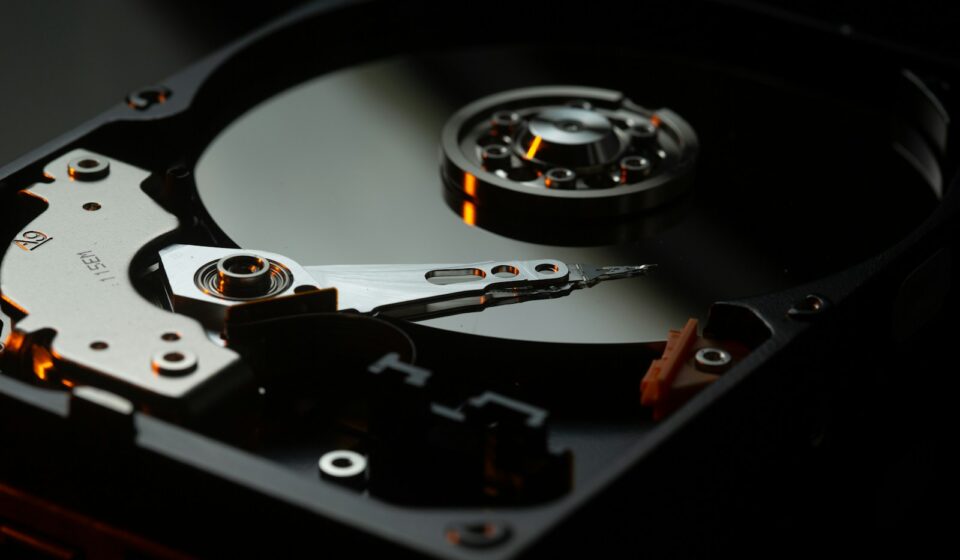
Inside that hermetically sealed metal casing, Seagate is running ten individual aluminum platters, spinning at a terrifying 7,200 revolutions per minute. Think about the aerodynamics of that for a second. If you try to spin ten platters that close together in normal, everyday air, the sheer friction and air turbulence would generate enough heat to literally melt the internal read/write heads. The drag would require a massive, power-hungry motor just to maintain the spin rate.
To solve this, Seagate completely pumps the normal air out of the chassis and fills the entire drive with pure helium.
Helium is roughly one-seventh the density of regular atmospheric air. By replacing the air with helium, the aerodynamic drag drops off a cliff. The platters spin smoother, the motor draws significantly less electrical current, and the internal temperatures plummet. This is the exact mechanical sorcery that allows them to stack ten platters into a space that traditionally only held five or six.
But the real magic trick is the recording technology itself. If you are buying a massive drive for a NAS (Network Attached Storage) environment, you need to be absolutely terrified of three letters: SMR.
The Danger of SMR vs. The Safety of CMR
SMR stands for Shingled Magnetic Recording. To squeeze more data onto cheap consumer drives, manufacturers started overlapping the data tracks like shingles on a roof. It sounds clever until you try to rewrite a single file. Because the tracks overlap, modifying one piece of data forces the drive to pick up, read, and rewrite entire surrounding “zones” of data. In a RAID array, SMR drives cause catastrophic, system-crashing slowdowns. They will literally drop out of your storage pool because they take too long to respond while busy shuffling overlapping data.
Thankfully, these high-capacity 24TB Seagate models—usually from their enterprise Exos line—rely strictly on CMR (Conventional Magnetic Recording). Every single data track lives completely independently of its neighbor. You can hammer these drives with simultaneous read and write requests 24 hours a day, 7 days a week, and they will never buckle under the pressure. They are built for punishing data center environments, which means they will casually laugh at whatever home media server workload you throw at them.
The “Too Good to Be True” Catch: Decoding the $239 Price
Let us address the giant, blinking neon elephant in the room. A brand new, factory-sealed 24TB Seagate Exos drive currently retails for somewhere around $380 to $450, depending on global supply chain fluctuations.
So, how on earth are you seeing them listed for $239 on Amazon, eBay, or specialized server hardware sites?
They are refurbished. Or “recertified.” Or “white-labeled server pulls.”
Before you immediately close the tab and run away in horror at the word “refurbished,” you need to understand how the hyper-scale cloud storage market actually operates. Massive companies like Amazon Web Services, Google Cloud, and Microsoft Azure buy hard drives by the literal shipping container. Millions of them.
These massive data centers operate on strict, highly calculated hardware refresh cycles. Every three to five years, regardless of whether a hard drive is perfectly healthy or not, they rip it out of the server rack and replace it with a denser, newer model to save on physical floor space and power consumption.
Millions of perfectly functional, heavily engineered enterprise drives are suddenly left without a home. Third-party liquidators buy these drives by the pallet, securely wipe the data using military-grade algorithms, reset the SMART (Self-Monitoring, Analysis, and Reporting Technology) data counters, run them through a rigorous bad-sector stress test, slap a new “recertified” label on the front, and dump them onto the consumer market at fire-sale prices.
Are you taking a slight risk by buying a used enterprise drive? Absolutely. But let us look at the actual numbers to see if that risk makes financial sense.
The Brutal Cost-Benefit Analysis
| Drive Type & Condition | Capacity | Average Price | Cost per Terabyte | Warranty Length |
|---|---|---|---|---|
| Seagate Exos 24TB (Brand New, Retail) | 24TB | $429.00 | $17.87 / TB | 5 Years (Manufacturer) |
| Western Digital Red Pro (Brand New) | 24TB | $449.00 | $18.70 / TB | 5 Years (Manufacturer) |
| Seagate 24TB (Recertified Server Pull) | 24TB | $239.00 | $9.95 / TB | 2-5 Years (Seller) |
| Standard Consumer Desktop Drive (New) | 8TB | $135.00 | $16.87 / TB | 2 Years (Manufacturer) |
Look closely at that third row. You are paying practically half the price for the exact same physical hardware. Yes, the warranty is usually handled by the third-party seller rather than Seagate directly. But at $239, you could literally buy two of these recertified drives, mirror them together for total data redundancy, and you would still spend roughly the same amount of money as buying a single brand-new retail drive.
When you frame it mathematically, buying recertified enterprise drives is arguably the smartest financial decision a home lab enthusiast can make.
The “Drive Arrived” Survival Checklist
Because you are likely buying a recertified drive to secure that $239 price point, you cannot just blindly slap it into your computer, copy your irreplaceable family photos onto it, and call it a day. You need to verify its health. Enterprise drives endure heavy vibrations in server racks, and the shipping process from the liquidator to your front porch can occasionally cause mechanical damage.
If you skip this verification phase, you are playing Russian roulette with your data. Here is the exact, step-by-step stress testing protocol you must follow the second you pull that drive out of its anti-static bag.
1. The Visual and Auditory Inspection
Inspect the SATA connector pins. Are any of the gold contacts bent or scratched? Check the corners of the metal chassis. If a drive was dropped on a concrete warehouse floor, the heavy metal corners will show obvious dents. Plug the bare drive into a power supply before connecting the data cable. Listen to it spin up. You want to hear a smooth, jet-engine whine as the platters reach 7,200 RPM. If you hear a repetitive, rhythmic clicking, clacking, or grinding noise that sounds like a spoon caught in a garbage disposal—stop immediately. The read/write heads are crashing into the platters. Box it up and return it.
2. The SMART Data Interrogation
Connect the data cable and boot your machine. Do not format the drive yet. Download a utility like CrystalDiskInfo (for Windows) or use `smartctl` (on Linux). Look specifically at three critical hex values:
- Reallocated Sectors Count: This should be absolutely zero. If a drive finds a physically damaged spot on the platter, it quietly maps the data to a spare sector. A non-zero number here means the drive is already physically deteriorating.
- Current Pending Sector Count: Again, this must be zero. These are sectors the drive suspects are bad but hasn’t fully reallocated yet.
- Uncorrectable Sector Count: Zero. No exceptions. Any number higher than zero means data was permanently lost and could not be recovered by the drive’s internal error correction algorithms.
3. The Brutal Full-Disk Write Test
Never trust a used drive until you have written data to every single available sector. If you are using Windows, download a free tool called h2testw. If you are on Linux or Unraid, use the `badblocks` command-line utility.
You need to execute a command similar to: `badblocks -wsv /dev/sdX` (replacing X with your actual drive letter).
This command writes a specific pattern of zeroes and ones to every single block on the 24TB drive, reads the block back, and verifies the pattern matches perfectly. Because 24TB is a mind-boggling amount of physical space, and hard drives max out at around 250 to 280 megabytes per second of write speed, this test will take approximately 26 to 30 hours to complete.
Do not cancel it. Let it run overnight. Let it run while you are at work. If the drive passes a multi-day full write and read cycle without generating a single bad sector, you can confidently trust it with your data.
The Physical Realities of Running Enterprise Drives at Home
If your entire experience with hard drives comes from the silent, whisper-quiet storage inside a standard Dell desktop or an Apple iMac, installing a massive enterprise Seagate drive is going to be a shocking sensory experience.
These drives are designed for sprawling, air-conditioned data centers where humans wear ear protection. They are not designed to sit quietly on your bedroom desk while you try to sleep.
The “Coffee Grinder” Acoustics
When a 24TB Exos drive performs random read and write operations—searching for scattered tiny files across ten different platters—the actuator arms snap back and forth with incredible, violent speed. This physical movement generates a distinct, low-frequency rumbling and chattering noise. It sounds exactly like a distant coffee grinder or a muffled geiger counter.
Furthermore, Seagate enterprise drives perform something called “Preventative Wear Leveling” (PWL). Even when the drive is completely idle and you are not reading or writing any files, the drive will occasionally sweep the read heads across the platters just to keep the internal lubricants evenly distributed. Every ten seconds or so, you will hear a distinct, hollow “thunk.”
People constantly rush to hardware forums completely panicked, convinced their brand new $239 drive is dying because of this rhythmic thumping sound. It is perfectly normal. It is just the drive doing its internal housekeeping. But if you plan to put a NAS containing four of these drives in your living room media console, you might want to invest in some rubber acoustic dampening mounts.
The 3.3V Pin 3 Power Disable Feature
This is a critical, deeply technical hurdle that trips up almost every single person buying their first high-capacity enterprise drive.
You excitedly unpack your 24TB drive, slide it into your consumer PC case, plug in the SATA power cable from your Corsair or EVGA power supply, press the power button on your computer… and absolutely nothing happens. The drive does not spin up. It does not vibrate. It acts like a completely dead brick.
You furiously box it back up, assuming the seller scammed you, right?
Wrong. The drive is likely perfectly fine. You just fell victim to the SATA Revision 3.3 specification.
In enterprise server racks, system administrators need a way to remotely force-reboot a specific hard drive if it hangs, without having to physically walk down the aisle and pull the drive out. To achieve this, the industry repurposed Pin 3 on the SATA power connector. If the drive detects 3.3 volts of electricity on Pin 3, it completely disables the internal power circuitry and refuses to spin up.
Modern server backplanes know how to handle this. But standard, off-the-shelf consumer PC power supplies blindly send 3.3 volts down that wire by default. Your computer is continuously telling the hard drive to shut off.
The fix is ridiculously simple, but you have to know it exists. You can carefully place a tiny sliver of Kapton tape over the third pin on the drive’s power connector to block the electrical signal. Alternatively, you can use a cheap Molex-to-SATA power adapter cable. Molex cables only carry 12-volt and 5-volt lines; they physically lack the wire to supply 3.3 volts, instantly bypassing the power disable feature and allowing the massive drive to roar to life.
Who Actually Needs 24,000 Gigabytes?
It is easy to look at a number like 24TB and brush it off as ridiculous overkill. For the average person backing up some PDF tax returns and a folder of smartphone photos, it is entirely unnecessary. But data footprints are expanding at a terrifying, exponential rate.
Let us break down the exact scenarios where a single $239 24TB drive suddenly feels cramped.
1. The Plex and Jellyfin Media Curators
If you run a home media server, you know the obsession with quality. A heavily compressed 1080p movie downloaded from the internet might only take up 2 or 3 gigabytes. But a pristine, uncompressed 4K UHD Blu-ray rip, featuring lossless Dolby TrueHD Atmos audio and HDR10 video data, can easily consume 80 to 100 gigabytes for a single, two-hour film.
At 100 gigabytes per movie, a 24TB drive gives you enough space for roughly 240 high-quality films. If you are trying to archive a massive library of classic cinema, complete television series box sets, and obscure documentaries, that 24TB ceiling approaches much faster than you think.
2. Local AI Model Hosting
This is a rapidly growing, highly specialized use case that nobody was talking about three years ago. Running large language models (LLMs) and image generation software locally on your own hardware requires staggering amounts of storage.
Downloading the raw, unquantized weight files for a massive model like LLaMA-3 or a custom Stable Diffusion checkpoint can eat up 50 to 150 gigabytes per file. Developers experimenting with fine-tuning these models generate massive, sprawling datasets of text, images, and training logs. A cheap 24TB drive allows AI researchers to hoard hundreds of different model iterations locally without continuously paying Amazon AWS exorbitant fees for cloud storage buckets.
3. Independent Videographers and YouTube Creators
Shooting video in 4K—or increasingly, 6K and 8K—using high-bitrate codecs like Apple ProRes or Blackmagic RAW generates a truly offensive amount of data. A single day of shooting a wedding or a corporate event can yield two terabytes of raw footage.
Video editors need a place to dump this footage immediately so they can clear their expensive camera memory cards for the next day’s shoot. Buying high-speed NVMe SSDs for mass archiving is financially ruinous. Dropping $239 on a spinning 24TB Seagate allows an editor to securely dump dozens of massive projects onto a single, reliable volume.
The Terrifying Math of RAID Rebuilds at 24TB
If you are planning to buy three or four of these cheap 24TB drives to build a massive TrueNAS or Unraid server, we need to have a very serious conversation about parity, redundancy, and the sheer terror of a disk rebuild.
Back in the days of 2TB and 4TB drives, running a RAID 5 array (where one drive holds parity data, allowing the array to survive a single drive failure) was perfectly acceptable. If a drive died, you swapped in a new one, the system recalculated the missing data, and you were back up and running in a few hours.
At 24 terabytes, RAID 5 is effectively dead. It is incredibly dangerous.
Here is the nightmare scenario. One of your massive drives fails. You pull it out, slide a replacement drive into the bay, and initiate the rebuild sequence. Your storage server now has to read every single sector across all the remaining surviving drives to mathematically recreate the 24 terabytes of missing data.
Remember how we established earlier that these drives write at a maximum of roughly 250 megabytes per second?
Reading 24 terabytes of data at 250MB/s takes a very, very long time. You are looking at 26 to 30 hours of continuous, grinding, 100% maximum utilization across your entire array. The remaining drives will be screaming, running hot, and working harder than they ever have in their entire operational lifespan.
During this 30-hour window of extreme stress, what happens if a second drive encounters a tiny, unreadable bad sector? Or worse, completely fails from the heat and physical exertion?
Your entire array collapses. Every single byte of data across all drives is permanently destroyed. Just like that. Poof. Gone.
This is exactly why enterprise system administrators calculate something called the URE (Unrecoverable Read Error) rate. High-end Seagate Exos drives usually quote a URE rate of 1 in 10^15 bits read. That sounds like an astronomically rare occurrence. But when you are continuously reading 24,000 gigabytes of data during a massive array rebuild, you are rapidly approaching that exact statistical threshold where a read error mathematically *must* occur.
If you are buying these massive $239 drives, you absolutely must use RAID 6 (dual parity) or a ZFS equivalent like RAIDZ2. You need an architecture that can tolerate two simultaneous drive failures. Sacrificing the capacity of two 24TB drives strictly for parity feels painful, but when a rebuild takes nearly two days to complete, that secondary safety net is the only thing standing between you and total data annihilation.
Cloud Storage vs. Local Hardware: Destroying the Subscription Myth
Whenever you talk about buying physical hard drives, someone inevitably jumps into the conversation and smugly suggests just uploading everything to the cloud. They argue that physical hard drives break, electricity costs money, and paying a small monthly fee to Google or Dropbox is vastly superior.
Let us aggressively dismantle that argument using basic arithmetic.
If you want to store 24 terabytes of data in the cloud, standard consumer services tap out early. Google Drive tops out at 2TB or 5TB tiers for normal users. To get 24TB, you have to move into enterprise cloud storage tiers or raw object storage like Amazon S3 or Backblaze B2.
Backblaze B2 is widely considered one of the absolute cheapest, most aggressively priced cloud storage providers on the entire internet. They charge exactly $6.00 per terabyte, per month.
Storing 24 terabytes of data on Backblaze B2 will cost you $144 every single month.
In less than two months—exactly 1.6 months, to be incredibly precise—you will have spent $239 on cloud subscription fees.
Let that sink in. By month three, you are actively losing money. Over the course of a single year, renting 24TB of cloud storage will cost you $1,728. Over a standard five-year hardware lifecycle, you will hand over $8,640 to a cloud provider.
Or, you could just buy the Seagate drive for $239 once.
Yes, running a local drive requires electricity. A typical spinning hard drive consumes about 7 to 9 watts of power while actively reading or writing, and drops down to about 4 watts while sitting idle. Even if you pay incredibly high electricity rates in a place like California or Western Europe, running a single hard drive 24/7 will barely add $15 a year to your utility bill.
The total cost of ownership (TCO) heavily, undeniably favors local, high-capacity hardware. The cloud is fantastic for small text documents, syncing your smartphone contacts, and off-site emergency backups. It is an absolute financial black hole for archiving dozens of terabytes of massive video files.
Choosing the Right File System for a Massive Drive
You cannot just plug a 24TB drive into a computer and expect the default formatting options to handle it gracefully. The file system you choose dictates how data is organized, how quickly it can be retrieved, and most importantly, how resilient it is against corruption.
If you are simply throwing this drive into a standard Windows desktop machine to use as a massive D: drive for Steam games and random file dumps, you are stuck with NTFS. It works, it is universally compatible with Windows software, but it is incredibly outdated. NTFS lacks native protection against “bit rot”—the silent, microscopic flipping of ones and zeroes on the magnetic platter over years of storage.
If you are building a dedicated NAS, you have vastly superior options.
ZFS is the undisputed king of massive storage pools. It is a highly complex, incredibly strict file system that demands direct access to the physical hard drives (which is why you must use an HBA card flashed to IT mode, completely bypassing any hardware RAID controllers). ZFS continuously calculates cryptographic checksums for every single block of data written to the drive. When you read a file, ZFS checks the math. If the data on the Seagate drive has silently corrupted due to magnetic degradation, ZFS instantly detects the mathematical mismatch, pulls the correct data from your parity drives, and heals the corrupted file on the fly without you ever noticing. It is brilliant, paranoid engineering.
Alternatively, the Unraid operating system uses a much looser, more flexible approach. Instead of striping data aggressively across all drives like ZFS, Unraid formats each 24TB drive independently using standard Linux file systems like XFS or BTRFS. It then maintains a separate, dedicated parity drive. The massive advantage here is that if your server completely catches fire and the motherboard melts, you can yank a surviving 24TB Seagate drive out of the ashes, plug it into any standard Linux machine, and read the files directly off the disk. You cannot easily do that with a shattered ZFS pool.
The 3-2-1 Backup Rule Still Applies
Having 24TB of space on a single drive creates a deeply dangerous psychological illusion of safety. Because the drive is so massively huge, you start dumping all your eggs into one giant, spinning metal basket. You put your tax returns next to your wedding photos, right next to your massive collection of ripped 4K movies.
You must remember the golden rule of data preservation: RAID is not a backup. Hardware redundancy only protects you against physical mechanical failure. It does absolutely nothing to protect you against accidental deletion, malicious ransomware encrypting your files, a catastrophic power surge frying your motherboard, or a burst pipe flooding your home office.
If you buy a 24TB drive, you are morally obligated to figure out how you are going to back up the critical fraction of that data.
You do not need to back up the movies or the easily re-downloadable steam games. But you still need to follow the 3-2-1 rule for the irreplaceable stuff. Three total copies of your data. Two different storage mediums. One copy located physically off-site.
The irony of buying a massive $239 drive is that it forces you to completely rethink your disaster recovery strategy. When your entire digital life fits on a single disk, the impact of losing that disk is apocalyptic.
How Long Will This Pricing Last?
The commodity storage market is wildly unpredictable. Prices do not drop in a smooth, linear fashion. They crash violently, stay flat for years, and occasionally spike massively based on bizarre global events.
In 2021, a cryptocurrency called Chia launched. Unlike Bitcoin, which required massive amounts of GPU computational power to mine, Chia relied on “Proof of Space and Time.” It required miners to plot massive cryptographic files onto hard drives. Practically overnight, miners bought up every single high-capacity hard drive on the planet. The price of an 18TB drive skyrocketed from $300 to nearly $600 in a matter of weeks. The supply chain was completely gutted.
Similarly, unexpected floods in Thailand or factory fires in Taiwan have historically crippled hard drive supply lines, causing prices to double overnight.
Right now, we are in a golden window. Massive tech conglomerates are actively decommissioning colossal amounts of 20TB, 22TB, and 24TB drives from their data centers to make room for newer 30+ TB HAMR (Heat-Assisted Magnetic Recording) drives. The secondary market is currently flooded with high-quality, recertified Exos drives.
But that liquidator supply is not infinite. Once the current wave of server pulls dries up, the prices on these secondary markets will slowly creep back up toward the $300 mark until the next massive data center refresh cycle happens years from now.
If you are sitting on the fence, struggling with a NAS that is hovering at 95% capacity, obsessively deleting old files just to make room for a new software update, this is exactly the moment to pull the trigger.
Getting your hands on 24,000 gigabytes of enterprise-grade CMR storage for $239 completely changes the trajectory of your home network. You stop worrying about space. You stop obsessively monitoring your storage charts. You just plug the drive in, format the volume, and finally get back to actually using your computer instead of constantly doing data janitor work.