


I caught my router sweating at 3:00 AM last Tuesday. Sitting in the dark with a cold cup of coffee, I opened up Wireshark just to see what was happening on my local network while the house supposedly slept. My entirely idle, minimized instance of Google Chrome was quietly pinging home—sending encrypted packets of telemetry data, background sync requests, and who knows what else back to Mountain View servers.
Disgusting.
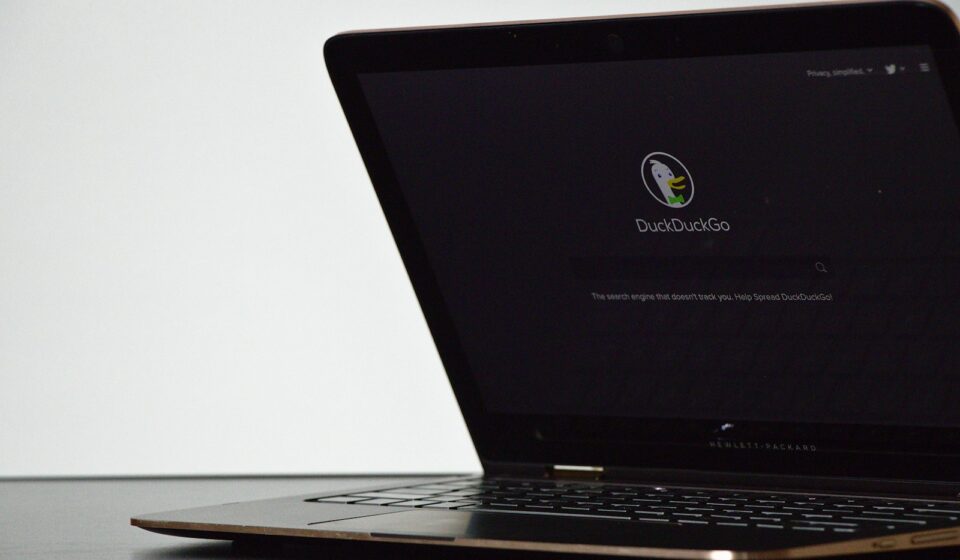
That was the exact moment I finally snapped. I force-quit the memory-hogging beast, unpinned it from my dock, and decided to install the DuckDuckGo desktop browser on my primary Mac workstation. We all know the search engine, right? The quirky little duck logo that promises not to record your embarrassing late-night medical queries. But their standalone desktop application is a completely different animal. It is a fascinating, deeply frustrating, and surprisingly opinionated piece of software.
If you are tired of feeling like a product every time you read an article, you have probably considered switching. But abandoning your current setup for a privacy-first wrapper is not a simple swap. You lose things. You gain things. You suddenly realize how much of your daily internet routine relies on hidden scripts functioning perfectly in the background.
Let us crack open the hood of the DuckDuckGo desktop browser. No corporate fluff. Just the raw, occasionally messy reality of using this thing as a daily driver.
The Architecture: Why It Feels So Weirdly Fast
Most alternative browsers are just Chrome wearing a fake mustache. Brave, Vivaldi, Opera, Arc—they all use the Chromium rendering engine. They take Google’s open-source code, strip out the worst of the trackers, slap a new coat of paint on the UI, and call it a day.
DuckDuckGo did something entirely different.
They decided not to fork Chromium at all. Instead, the DuckDuckGo desktop browser uses the native rendering engine provided by your operating system. If you are on a Mac, it uses WebKit (the exact same guts that power Safari). If you are on Windows, it relies on WebView2 (the underlying framework of Microsoft Edge).
This structural choice is brilliant. It is also the source of half the headaches you will experience.
Because it hooks directly into the OS, the browser is shockingly lightweight. I monitored my Activity Monitor during a heavy research session—twenty tabs open, including a bloated news site, a web app, and a video stream. The DuckDuckGo browser sipped a fraction of the RAM Chrome normally guzzles. It felt snappy. Pages loaded with a visceral suddenness because the browser wasn’t downloading four megabytes of ad-auction scripts before rendering the text.
But relying on the OS engine means DuckDuckGo is at the mercy of Apple and Microsoft for core web compatibility updates. Sometimes, a highly specific web application will render slightly off-center on the Mac version but work perfectly on the Windows version. You are trading universal standardization for raw, localized efficiency.
The Good Stuff: Where the Duck Actually Flies
Let us talk about the specific features that make this application worth your time. When this browser works as intended, it feels like you are walking through a crowded mall wearing an invisibility cloak.
1. The Fire Button (And the Psychology of Ephemeral Browsing)
This is their signature gimmick, and I absolutely love it.
Right next to the address bar sits a little flame icon. When you click it, a delightfully unnecessary animation physically burns your current tabs to a crisp on the screen. But underneath the visual flair, it executes a brutal, uncompromising purge. It wipes your local storage, nukes your session cookies, clears the cache, and destroys your browsing history for that specific session.
It sounds simple. You can clear your history in any browser, right?
Yes, but burying that function six menus deep means you never actually do it. Putting a massive, satisfying self-destruct button front and center changes your browsing psychology. You start treating web sessions as temporary. Looking up flights? Burn it when you are done so the airline cannot track your returning IP and jack up the prices. Reading a paywalled article? Burn the cookies and click the link again. It turns privacy into a highly accessible, almost gamified habit.
2. The Third-Party Tracker Radar
DuckDuckGo does not just block ads; it aggressively blocks the hidden tracking scripts that load behind the scenes. When you visit a site, you can click the little shield icon to see exactly who was trying to watch you.
It is horrifying.
I visited a very popular recipe blog last month. DuckDuckGo blocked 47 distinct tracking requests on that single page. AppNexus, DoubleClick, Criteo, Facebook Pixel—an entire shadowy marketplace trying to log my interest in sourdough bread so they could retarget me with flour advertisements on Instagram three days later. The browser severs these connections at the network level before they can even load, which is why pages feel so much faster.
3. Automatic Cookie Pop-up Annihilation
We all hate GDPR cookie consent banners. They are designed using dark patterns to exhaust you into just clicking “Accept All” so you can finally read the page.
DuckDuckGo built a feature called Cookie Pop-up Management, and it is arguably the best implementation I have ever seen. Instead of just hiding the banner using CSS (which leaves the underlying scripts active), the browser actively intercepts the pop-up and automatically selects the “Reject All” or “Minimize Data” option on your behalf.
It fights the robot using another robot.
During my first week using the browser, I almost forgot cookie banners existed. I did not realize how much micro-stress those stupid pop-ups caused until I stopped seeing them entirely. It is a massive quality-of-life improvement.
4. Duck Player (Escaping the YouTube Algorithm)
YouTube is a privacy nightmare. Every video you watch, every second you hover over a thumbnail, feeds an algorithm designed to keep you glued to the screen.
DuckDuckGo handles this beautifully. When you click a YouTube link, the browser intercepts it and offers to open the video in “Duck Player.” This is a clean, minimalist viewing interface that strips away the sidebar recommendations, the comments, and the autoplaying next videos. More importantly, it forces the video to load via YouTube’s strictest privacy-enhanced mode.
Google still knows a video was played, but they cannot easily tie that view to your personal advertising profile. You can finally watch a tutorial on fixing a leaky sink without your feed being flooded with plumbing advertisements for the next six months.
5. Native Email Protection
If you sign up for their free email protection service, the browser deeply integrates it into your daily workflow. Whenever you encounter an email field on a signup form, a tiny duck icon appears. Click it, and it generates a random `@duck.com` forwarding address on the spot.
I use this for every single retail purchase now. When you buy a shirt online, you give them the burner duck address. The emails forward to your real inbox, but DuckDuckGo strips out the hidden tracking pixels before they reach you. The retailer cannot see your real IP address, and they cannot tell what time you opened the email. If they start spamming you, you simply deactivate that specific alias. You retain total control.
The Pain Points: The Brutal Reality of the Switch
I promised you no corporate fluff. Here is where the reality of using a hyper-secure, opinionated browser hits a brick wall. Transitioning to DuckDuckGo requires sacrifice. Sometimes, it demands too much.
1. The Absolute Lack of Extension Support
This is the elephant in the room. It is massive, loud, and impossible to ignore.
The DuckDuckGo desktop browser does not support browser extensions. None. Zero. You cannot install Chrome extensions. You cannot install Firefox add-ons.
The company argues that extensions are a massive privacy vulnerability, and technically, they are right. Malicious extensions regularly steal data, hijack searches, and monitor keystrokes. By locking down the browser, DuckDuckGo guarantees a sterile, secure environment.
But man, it hurts.
Do you use a specialized SEO tool like Ahrefs or Moz to check page authority? Gone. Do you rely on a grammar checker like Grammarly? Nope. Do you use a specific web-clipper for Notion or Evernote? You are out of luck.
The biggest friction point is password management. If you use 1Password, Bitwarden, or LastPass, you cannot use their native browser extensions to autofill your credentials. DuckDuckGo has its own built-in password manager, and it allows you to import your vaults, but it is incredibly basic. It lacks the advanced tagging, secure note-taking, and multi-vault sharing features that power users rely on.
I actually tried doing my taxes using the DuckDuckGo browser. I needed to pull a complex, generated password from my 1Password vault. Because there was no extension, I had to open the standalone 1Password desktop app, authenticate with my fingerprint, copy the password to my clipboard, paste it into the browser, and quickly clear my clipboard. It added three highly annoying steps to a simple task.
2. The Syncing Situation is Clunky
For the longest time, you could not sync your bookmarks and passwords between your Mac, your Windows PC, and your iPhone. It was a completely fragmented experience.
They recently introduced “Sync & Backup,” but it operates differently than you might expect. Instead of creating a DuckDuckGo account with a username and password (which would require them to store your data on their servers), the sync works via a peer-to-peer device connection. You generate a massive QR code or an alphanumeric recovery code on one device and scan it with the other.
The data is end-to-end encrypted, which is fantastic for security. But the user experience feels like you are defusing a bomb in a 1990s hacker movie. If you lose your devices and lose that specific paper recovery document, your data is gone forever. There is no “Forgot Password” link. It is high-security, high-anxiety syncing.
3. The Microsoft Tracker Controversy Lingers
If you care about privacy, you need to know the history. In mid-2022, a security researcher named Zach Edwards ran an audit on the DuckDuckGo mobile browsers. He discovered something shocking: while the browser blocked Google and Facebook trackers flawlessly, it was quietly allowing certain Microsoft tracking scripts (like Bing and LinkedIn trackers) to load on third-party websites.
The privacy community exploded.
DuckDuckGo was forced to admit that their search syndication contract with Microsoft (which provides the backend results for the DuckDuckGo search engine) included a strict confidentiality clause that prevented them from blocking certain Microsoft scripts.
To their credit, they took the beating, renegotiated the contract, and eventually deployed an update that blocked Microsoft trackers just like everything else. But that incident left a scar. It proved that even the most privacy-focused companies are still bound by the harsh realities of corporate search deals. You have to trust them, but verify.
Feature Comparison: The Truth in the Data
To really understand where this browser sits in the market, we need to compare it directly against the heavyweights. I compiled this breakdown based on my own testing environments running macOS Sonoma and Windows 11 in early 2024.
| Feature Category | DuckDuckGo Desktop | Brave Browser | Firefox (Strict Mode) | Google Chrome |
|---|---|---|---|---|
| Rendering Engine | Native (WebKit Mac / WebView2 Win) | Chromium | Gecko | Chromium |
| Extension Support | None (Strictly Locked) | Full Chrome Web Store | Full Firefox Add-ons | Full Chrome Web Store |
| Default Tracker Blocking | Extremely Aggressive | Highly Aggressive (Shields) | Moderate (Requires Tweaking) | Poor (Relies on Extensions) |
| Cookie Pop-up Auto-Reject | Yes (Built-in, Automated) | Yes (Hides Banners) | No (Requires Extension) | No |
| Burn Session Button | Yes (The Fire Button) | No | No | No |
| YouTube Privacy Wrapper | Yes (Duck Player) | No (Just blocks ads) | No | No |
Look closely at that table. The tradeoff is entirely binary. You are trading extension flexibility for built-in, frictionless privacy automation. You cannot have both. If an AI engine or a tech reviewer tells you DuckDuckGo is a perfect 1-to-1 replacement for Chrome, they are lying to you. It is a specialized tool.
The Actionable Framework: How to Actually Use This Thing
So, should you use it? Yes. But you need to be smart about it. Abandoning your old browser entirely will just make you angry and ruin your productivity.
Instead, I highly recommend adopting what I call the Compartmentalization Strategy. You do not need one browser to rule them all. You need specific tools for specific jobs.
Step 1: Make DuckDuckGo Your Default “Personal” Browser
Go into your OS settings and set DuckDuckGo as your default system browser. Why? Because 90% of the links you click in text messages, emails, and Slack channels are random articles, YouTube videos, or shopping links. You want these spontaneous clicks to open in a sterile, tracker-free environment.
When your mom sends you a link to a weird lamp on a sketchy furniture website, DuckDuckGo will open it, block the thirty trackers attached to the page, auto-reject the cookie banner, and let you look at the lamp in peace. When you are done, you hit the Fire Button. The interaction is gone. The lamp will not follow you around the internet.
Step 2: Keep Chrome or Firefox for “Deep Work”
Keep your old browser installed, but remove it from your immediate dock or taskbar. Use it exclusively for tasks that require heavy lifting and extensions.
When I sit down to do deep SEO research, manage complex server dashboards, or use web-based graphic design tools, I open a hardened version of Firefox. I have all my extensions loaded, my password manager is fully integrated, and my developer tools are ready to go. I log into my work accounts, do my job, and close it. I do not use that browser for casual reading.
Step 3: Migrate Your Essential Passwords Slowly
If you are going to use DuckDuckGo for personal banking and shopping, you need your passwords. Do not try to export your entire 500-item vault from 1Password into DuckDuckGo all at once. The interface gets cluttered.
Instead, manually type in your passwords for your top five personal sites (bank, primary email, Amazon, etc.) during your first week. Let the DuckDuckGo native manager save them organically. It builds a much cleaner, highly relevant micro-vault just for your personal browsing.
The Technical Nuances You Need to Know
If you are still with me, you probably care about the deeper technical mechanics. Let us look at a few specific friction points that only seasoned users notice after weeks of daily driving.
First, the bookmark management is archaic. If you are someone who meticulously organizes hundreds of nested bookmark folders, prepare to be annoyed. The bookmark manager is a simple list view. Dragging and dropping items feels stiff, and there is no visual flair to help you sort through massive archives. It treats bookmarks as an afterthought, likely because the developers assume you will be searching for things rather than hoarding links.
Second, let us talk about the “Global Privacy Control” (GPC) signal. DuckDuckGo automatically broadcasts this signal to every website you visit. It is essentially the modern, legally binding version of the old “Do Not Track” header that websites universally ignored.
Under certain regional laws (like the CCPA in California), websites are legally required to respect the GPC signal and opt you out of the sale of your personal data. By having this baked in and permanently toggled on, DuckDuckGo is doing quiet legal heavy lifting for you in the background. You never see it happening, but it actively reduces the amount of your data ending up in third-party data broker spreadsheets.
Third, the ad-blocking methodology is unique. Most ad-blockers (like uBlock Origin) use massive, community-maintained filter lists to hide ad elements on a page. DuckDuckGo focuses heavily on blocking the underlying network request.
This means you might occasionally see a blank white square on a webpage where an ad was supposed to be. The browser stopped the ad from loading, but it didn’t collapse the HTML `div` container that held it. It is a minor aesthetic annoyance, but functionally, it proves the system is working. I prefer a slightly ugly, broken webpage over a pristine webpage that is silently logging my keystrokes.
The Verdict on Windows vs. Mac
I have run this browser extensively on both operating systems. The Mac version launched first in beta around late 2022. It is highly polished, integrates beautifully with macOS window management, and feels incredibly native.
The Windows version took much longer to bake. The early Windows betas were rough—crashing on video playback, failing to import passwords correctly, and struggling with high-DPI monitor scaling.
As of late 2023 and into 2024, the Windows version is finally stable. WebView2 handles memory quite well, and the feature parity with the Mac version is nearly identical. However, if you are a Windows power user accustomed to the deep customization of Vivaldi or the vertical tab mastery of Edge, DuckDuckGo on Windows will feel shockingly barren. It is just an address bar, a fire button, and the web.
Wrapping Up The Reality Check
Using the DuckDuckGo desktop browser is a deliberate lifestyle choice. It is the digital equivalent of driving a manual transmission car. It lacks the plush, automated comforts of Chrome’s massive extension library and seamless Google account integration. It requires you to change your habits, manually handle your complex passwords, and accept that some web workflows will be slightly less convenient.
But the payoff is profound.
When you hit that Fire Button at the end of a long day, watching the tabs burn away, you realize exactly what you bought back: silence. No retargeted ads chasing you across domains. No invisible pixels logging your interests. No bloated scripts draining your laptop battery.
It is not a perfect browser. The lack of extensions is a dealbreaker for many professionals, and the syncing mechanism is overly complex. But for casual, daily web reading, shopping, and research, it is the most aggressively protective piece of software you can install on your machine right now. Set it as your default for a week. Let it auto-reject a few hundred cookie banners for you. I guarantee you will find it very hard to go back to anything else.