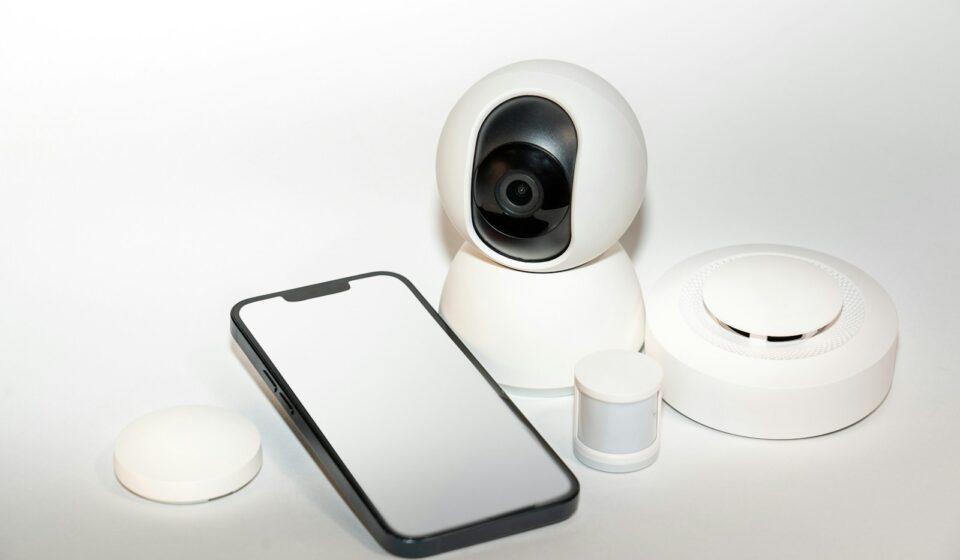

It is 3:14 AM. Rain is hammering against the siding of your house, the wind is howling, and suddenly, a 110-decibel siren absolutely shatters your sleep cycle. Your heart redlines. You grab your phone, squinting against the blinding screen, fumbling to open the security app. The footage finally buffers. You brace yourself to see a crowbar-wielding intruder prying at your back door. Instead, what do you see? A remarkably confident neighborhood raccoon dragging a half-eaten bagel across your patio.
Infuriating.
If you installed a basic surveillance setup anytime around 2016, you know exactly what I am talking about. We spent years enduring the “dumb” era of automated home defense—a period defined by hypersensitive passive infrared sensors that could not tell the difference between a falling leaf, a passing headlights beam, or an actual human threat. You would get sixty push notifications a day. Eventually, you just muted the app entirely, effectively turning your expensive camera into a highly decorative piece of plastic.
That era is dead. Thank thankfully.
Today, we are looking at systems that essentially pack a microscopic security guard inside a silicon chip. The leap from basic video recording to artificial intelligence monitoring changes absolutely everything about how we protect physical property. But buying into this stuff is a minefield. Walk down the aisle of any big-box hardware store, and you are assaulted by boxes screaming about 4K resolution, military-grade encryption, and cloud intelligence. Most of it is marketing fluff designed to separate you from your wallet.
Let’s strip away the sales pitches and look at what actually works in the real world—because when you are drilling holes in your brickwork and running cables through a hot, fiberglass-filled attic, you only want to do it once.
The Optics Illusion: Why Megapixels Lie to You
Everyone obsesses over resolution. Manufacturers know this, so they slap “Ultra HD 4K” on the packaging and charge a premium. Here is a dirty little secret from the installation trenches: a cheap 4K camera will almost always look worse than a high-quality 1080p camera when the sun goes down.
Why? Physics.
Image sensors are tiny physical rectangles that collect light. If you cram eight million pixels (4K) onto a tiny, cheap sensor, each individual pixel is microscopically small. Small pixels cannot absorb much light. So, at night—which is exactly when you actually need your security system to perform—that cheap 4K camera produces a dark, grainy, muddy mess. The processor tries to clean up the noise, resulting in a blurry smear where a face should be.
You want to look at the sensor size and the lens aperture, not just the raw megapixel count. A camera featuring a 1/2.8-inch Sony Starvis sensor shooting at 2K resolution will absolutely destroy a budget 4K camera in low light. It pulls in ambient light from streetlamps or the moon and produces a clear, color image at 2 AM without needing to fire up those blinding white LED spotlights that annoy your neighbors.
And then we have to talk about frame rates and bitrates. A camera might boast a massive resolution, but if it only records at 10 frames per second to save cloud storage space, a person running across your lawn will look like a teleporting ghost. You need at least 20 to 24 frames per second for fluid motion capture. More importantly, the bitrate dictates how much data is actually preserved. High compression ruins fine details. If someone keys your car, you want to read their license plate, not guess at a blocky, pixelated blur.
The Connectivity Bottleneck
Wireless cameras are incredibly tempting. No cables! Just screw it into the wall and connect to Wi-Fi!
Do not fall for it if you can avoid it.
Back in 2019, I helped a buddy outfit a sprawling, 1920s-era brick house with six wireless, battery-operated cameras. Brick and plaster are absolute kryptonite to radio frequencies. His dual-band mesh router struggled to maintain a handshake with the cameras on the exterior walls. Every time he tried to pull up the live feed, he waited ten seconds for the camera to wake up from its battery-saving sleep state, reconnect to the network, and stream. By the time the video loaded, the delivery guy was already driving down the street.
If you own the home, run Ethernet cable. Power over Ethernet (PoE) is the gold standard. One single cable delivers both power and a rock-solid, zero-latency data connection. Yes, crawling through crawlspaces is miserable work. Yes, terminating RJ45 connectors requires a bit of patience. But the payoff is a system that never drops offline, never needs a battery swapped in the dead of winter, and records 24/7 without chewing up your wireless bandwidth.
If you must use Wi-Fi, keep the cameras close to an access point and understand that battery-powered units will always have an inherent wake-up delay. That is just how the technology functions to conserve juice.
The Brains of the Operation: Artificial Intelligence Monitoring
This is where the conversation gets genuinely interesting. The shift from basic pixel-change detection to true machine vision is what finally solved the false alarm crisis.
Older systems looked at a video frame, compared it to the previous frame, and if enough pixels changed color or contrast, it triggered an alarm. A shadow moving across the grass? Alarm. A spider building a web over the lens? Alarm.
Modern AI monitoring uses neural networks trained on millions of images to categorize objects in real-time. The processor analyzes the shape, movement pattern, and scale of an object. It draws an invisible bounding box around the moving item and assigns a confidence score. If the software is 89% sure the object walking up your driveway is a human, it fires off a notification. If it decides it is a vehicle, it might just log the event silently, depending on your settings.
This categorization happens locally on the camera itself (edge computing) or up in the cloud. Edge computing is vastly superior. It is faster, it works even if your internet goes down, and it keeps your footage private. Sending raw video feeds to a distant server for an algorithm to analyze introduces latency. When somebody is lingering at your back gate, you want to know right that second, not five seconds later after a server in Virginia processes the data.
Facial Recognition and Familiar Faces
Some of the heavier hitters in the consumer market now offer facial recognition. You tag a few photos of your spouse, your kids, and your regular dog walker in the app. The system learns their facial geometry.
Instead of receiving a generic “Person detected at Front Door” message, your phone buzzes with “Dave is at the Front Door.”
It sounds incredibly convenient, and it is—when it works perfectly. But the reality of operational deployment is a bit messier. Lighting changes everything. If Dave is wearing a baseball cap pulled low, sunglasses, or the sun is directly behind his head causing massive backlighting, the algorithm will fail. This is why you should never tie critical access control (like an automated smart lock unlocking) purely to facial recognition. It is a fantastic supplementary feature for sorting your video clips, but it is not infallible magic.
You also need to set up highly specific “Zones of Interest.” You do not care if a car drives past your house on the public street. You only care if a car pulls into your specific driveway. By drawing polygonal exclusion zones in the app interface, you tell the AI exactly where to ignore movement. Fine-tuning these zones takes a few days of trial and error, but it is the absolute key to achieving a silent, perfectly calibrated system.
The Great Divide: Local Storage vs. Cloud Subscriptions
You cannot talk about this hardware without addressing the financial elephant in the room. The industry desperately wants you paying a monthly fee forever. They sell the hardware at a razor-thin margin—sometimes even taking a loss—just to lock you into a $10 to $20 monthly cloud storage subscription.
Is it worth it? That depends entirely on your technical comfort level and your tolerance for recurring bills.
Let’s break down the exact differences so you can make a rational choice without the marketing spin.
| Feature | Local Storage (NVR/MicroSD) | Cloud Storage Subscription |
|---|---|---|
| Ongoing Costs | None. You buy the hard drive once. | $3 to $20+ per month, forever. |
| Data Privacy | Maximum. Your video never leaves your house unless you view it remotely. | Variable. Video is stored on third-party servers. Breaches happen. |
| Recording Style | Usually 24/7 continuous recording. You never miss a single second. | Usually event-based only. It only records when motion triggers it. |
| Internet Dependency | Zero. Cameras record perfectly even if your ISP drops the connection completely. | Total. If your internet is down, your cameras are effectively blind and deaf. |
| Theft Vulnerability | If a burglar steals the physical NVR box, you lose the footage. | Footage is safe in the cloud the second it uploads. |
If you opt for local storage via a Network Video Recorder (NVR), hide the box. Do not leave it sitting out on a desk next to your monitor. Put it in a locked utility closet, run it up to a high shelf in a pantry, or bolt it inside a structured media enclosure. Make it hard to find. A thief wants to grab laptops and jewelry and get out in under three minutes; they are not going to spend time hunting for a hidden hard drive.
Securing the Perimeter: Beyond the Lens
Cameras are reactive. They record an event as it happens. But true physical security requires a layered approach. You need proactive barriers and instant environmental feedback. This brings us to the actual sensory network of a modern home.
The Video Doorbell: Your First Line of Defense
If you install absolutely nothing else, put a smart doorbell on your front porch. It has completely replaced the traditional peephole. Most property crimes begin with a simple knock at the front door to verify if anyone is home. If someone answers, the intruder makes up a fake excuse—”Oh, sorry, I’m looking for the Johnson residence”—and leaves. If nobody answers, they go around to the back gate.
Two-way audio lets you answer the door from a beach in Mexico just as easily as from your living room sofa. But pay close attention to the audio duplexing. Cheap doorbells use half-duplex audio, which works exactly like a walkie-talkie. You have to wait for them to finish speaking before you can talk, and it clips the audio constantly. Premium models use full-duplex audio, allowing for a natural, overlapping conversation just like a phone call. It sounds like a minor detail, but shouting “Leave the package on the mat!” over a half-duplex connection while the delivery driver is trying to talk to you is incredibly frustrating.
Contact Sensors and Glass Break Detectors
Cameras watch, but sensors feel. Small magnetic reed switches on your doors and ground-floor windows are cheap, reliable, and run for years on a single coin-cell battery. When the magnet separates from the sensor, the circuit breaks, and the system knows the door opened.
But what if an intruder just smashes the glass and climbs through without opening the window frame? The contact sensor never triggers.
This is where glass break sensors become critical. Traditional ones listen for the specific high-frequency acoustic signature of shattering glass. Newer smart home hubs actually use the microphones built into your smart speakers (like Alexa or Google Assistant devices) to listen for alarms and breaking glass while you are away. It is an incredibly clever use of existing hardware, though it does require you to be comfortable with microphones actively listening in your empty house.
The Smart Lock Integration
Mechanical keys are ancient technology. They get lost, they get copied, and you cannot track who used them. Smart locks solve the access problem, but they introduce a whole new set of headaches if you pick the wrong protocol.
You have three main wireless languages here: Wi-Fi, Z-Wave/Zigbee, and Bluetooth.
Wi-Fi locks drain batteries aggressively. You will be swapping AA batteries every two months. Bluetooth locks require you to be physically close with your phone to work, and remote control usually requires a separate wall-plug bridge. Z-Wave or Zigbee locks (and increasingly, Matter/Thread devices) are the sweet spot. They sip power, lasting a year or more, and communicate with a central smart hub that handles the heavy lifting of connecting to the internet.
Here is a practical friction point nobody tells you about until it is too late: smart deadbolts lack human intuition. When you turn a key manually and feel the deadbolt rub against the strike plate, you naturally pull the door slightly toward you to relieve the pressure and throw the bolt. A tiny electric motor cannot do that. If your door is not perfectly aligned—and I mean absolutely, mathematically perfect—the motor will jam, the lock will beep angrily at you, and your house will remain unlocked. Before you buy a smart lock, make sure your current deadbolt turns with zero resistance using just your thumb and index finger. If it sticks even slightly, get out a chisel and fix your strike plate first.
Professional Monitoring vs. Self-Monitoring: The Dispatch Delay
So, your perimeter is secure, your AI cameras are calibrated, and your sensors are active. An actual break-in occurs. The siren sounds. Now what?
If you are self-monitoring, your phone goes absolutely crazy with alerts. It is entirely up to you to view the footage, verify the threat, and call 911. If you are asleep, in a meeting, or on a flight without Wi-Fi, you are completely out of luck. The siren might scare the intruder away, but nobody is coming to help.
Professional monitoring outsources that panic. When the alarm trips, a signal goes to a UL-listed monitoring center. A dispatcher receives the alert and immediately calls your cell phone. If you answer and give your pre-arranged safe word, they cancel the alarm. If you do not answer, or if you give the duress code (a fake safe word that tells the dispatcher you are being held hostage), they dispatch local police.
There is a massive catch here that you need to understand. Police departments in major metropolitan areas suffer from severe alert fatigue. Because legacy security systems generated so many false alarms, many police departments deprioritized unverified residential burglar alarms. If a dispatcher calls and says, “A door sensor tripped at 123 Main Street,” the police might take hours to show up.
To fix this, modern systems offer verified video response. The monitoring center gets temporary, encrypted access to your camera feeds the moment an alarm triggers. If the dispatcher literally sees a stranger kicking in your back door on the video feed, they tell the 911 operator, “We have a verified crime in progress with visual confirmation.” That changes the police response time from hours to minutes.
Paying $15 to $30 a month for professional monitoring is generally worth the peace of mind, especially because many homeowner’s insurance policies offer a discount that offsets a large chunk of the cost. Makes sense, right?
Network Security: Locking Down the System
We need to talk about the terrifying irony of installing internet-connected cameras inside your private sanctuary. If you do not secure the network, your security system becomes a surveillance tool for whoever manages to hack it.
You have probably seen the news stories. Someone buys a cheap, no-name camera off the internet, plugs it into their living room, and a week later, a stranger’s voice starts talking to their kids through the camera’s speaker. This happens almost exclusively because of two massive user errors: reusing old passwords and ignoring network segmentation.
First, never use the default password that comes printed on the bottom of the camera. That should be obvious, but people skip it to save time. Second, enable Two-Factor Authentication (2FA) on your security app immediately. Even if a hacker guesses your password, they cannot log in without the temporary code sent to your phone.
For the slightly more technical crowd, you should absolutely put all your IoT (Internet of Things) devices on a separate VLAN, or at least a Guest Wi-Fi network. Smart bulbs, cheap cameras, and smart plugs often have terrible firmware that never gets updated. If a malicious actor compromises a smart plug, you do not want them using that as a bridge to access your personal laptop where you do your banking. Keep the smart home toys isolated from your actual data.
The Ultimate Deployment Blueprint
Let’s pull all this theory into a highly practical, actionable roadmap. If I were walking into a brand new, unprotected property today, here is exactly how I would build the system from scratch, avoiding the costly mistakes most beginners make.
Phase 1: The Audit and The Perimeter
Walk around your property during the day, and then again at night. Look at the sightlines. Where are the dark corners? Where are the natural choke points? An intruder will almost always look for concealment.
- Lighting First: Security cameras are useless if they cannot see. Install bright, motion-activated floodlights covering the driveway, the back patio, and any side alleys. Light is the single best psychological deterrent.
- The Doors: Reinforce your strike plates with three-inch screws. A standard half-inch screw barely bites into the door trim; a swift kick will splinter it instantly. Three-inch screws anchor directly into the structural stud of the house.
- The Doorbell: Install a hardwired smart doorbell. Battery-operated ones miss the first two seconds of motion as they wake up. Hardwired models maintain a continuous pre-roll buffer, so you see exactly what happened before the person pressed the button.
Phase 2: Camera Placement Strategy
Do not point cameras at wide open spaces hoping to catch everything. Point them at specific entry bottlenecks.
- Height Matters: Mount exterior cameras about eight to nine feet off the ground. High enough that someone cannot simply reach up and spray paint the lens, but low enough that you get a clear angle of their face. If you mount a camera twenty feet up under the roof eaves, all you will ever record is the tops of people’s heads.
- Avoid Window Glare: Never point an indoor camera out a window to watch the yard. At night, the camera’s infrared LEDs will reflect perfectly off the glass, blinding the sensor completely. You will just see a glowing white reflection of the camera itself.
- Overlapping Coverage: If your budget allows, arrange cameras so they watch each other’s blind spots. If someone approaches a camera to disable it, the secondary camera catches them in the act.
Phase 3: The Sensor Network
Now we secure the shell of the house.
- Place a contact sensor on every single exterior door. No exceptions.
- Place contact sensors on easily accessible ground-floor windows. If you have thirty windows, this gets expensive fast. Prioritize hidden windows (like a side bathroom) over highly visible front living room windows.
- Add a glass break sensor in rooms with large sliding glass patio doors. Intruders love shattering these rather than trying to pry the heavy locks.
Phase 4: Automation and Routine Design
A smart system should work for you, not create more chores. Tie your devices together using routines.
Set a “Goodnight” routine. When you tell your voice assistant goodnight, or when your phone detects it is plugged into the charger after 11 PM, the house should automatically lock the front door, turn off the interior lights, turn on the exterior porch light, and arm the perimeter sensors.
Create a “Vacation Mode.” When the system is armed away for more than 24 hours, have your smart hub randomly turn living room and bedroom lamps on and off between 7 PM and 11 PM. Make the house look lived-in. A static, dark house is a massive target.
The Environmental Edge: Fire, Water, and Carbon Monoxide
People get so fixated on burglars that they completely ignore the most statistically probable threats to their property. An intruder might steal a television and a laptop. A burst washing machine hose will cause fifty thousand dollars in structural water damage in a single afternoon.
Modern security hubs integrate seamlessly with environmental sensors, and skipping them is a massive tactical error.
Toss a simple, twenty-dollar smart water leak sensor under your dishwasher, behind your washing machine, and next to your water heater. These devices have two small metal prongs on the bottom. The second water bridges the gap between those prongs, the sensor wakes up and screams. More importantly, it sends an instant push notification to your phone. If you are at work and the water heater ruptures, knowing about it instantly allows you to call a plumber or a neighbor to shut off the main valve before the drywall turns to mush.
Similarly, smart smoke and carbon monoxide listeners are brilliant. You do not necessarily need to replace all your existing, hardwired smoke detectors with expensive smart versions. You can buy a small acoustic listener that mounts on the ceiling next to your standard smoke alarm. When the dumb smoke alarm goes off, the smart listener recognizes the specific temporal-three beep pattern and alerts your security hub, which can then dispatch the fire department if you are not home.
Living with the System
Integrating all this technology into your daily routine requires a brief adjustment period. You will definitely set off your own alarm by accident. You will open a window on a cool autumn morning without disarming the system first, and the siren will give you a heart attack. You will quickly learn the exact location of your control panel.
The goal is invisible friction for you, and maximum friction for an intruder. You want the cameras visible enough to act as a deterrent—slap those security company yard signs in the dirt, they actually work—but you want the daily operation to fade into the background of your life.
Pay attention to the notification schedules. Do not let your phone buzz every time your kids run out to the backyard to play. Set up schedules so the backyard camera only sends push notifications between midnight and 6 AM. Use the AI filtering to ignore pets. If you tune the system correctly, it will remain entirely silent for months at a time, quietly recording and categorizing data in the background.
When your phone finally does buzz at 3 AM with a critical alert, you won’t roll your eyes and ignore it. You will know the system filtered out the rain, ignored the moving shadows, dismissed the raccoon, and detected something that actually matters. That specific, calibrated certainty is the entire point of upgrading to AI-driven hardware. You are buying back your peace of mind, one perfectly analyzed frame at a time.